mirror of
https://github.com/arsvendg/Stirling-PDF.git
synced 2026-09-13 12:15:29 +02:00
3293d0d8a19070262d37a3818034d53efff7117c
280
Commits
| Author | SHA1 | Message | Date | |
|---|---|---|---|---|
 stirlingbot[bot] stirlingbot[bot]
|
6780bb4a30 |
🤖 format everything with pre-commit by <stirlingbot> (#3588)
Auto-generated by [create-pull-request][1] with **stirlingbot** [1]: https://github.com/peter-evans/create-pull-request Signed-off-by: stirlingbot[bot] <195170888+stirlingbot[bot]@users.noreply.github.com> Co-authored-by: stirlingbot[bot] <195170888+stirlingbot[bot]@users.noreply.github.com> |
||
 Reece Browne Reece Browne
|
70349fb7e3 |
remove legacy homepage (#3518)
# Description of Changes Please provide a summary of the changes, including: - What was changed - Why the change was made - Any challenges encountered Closes #(issue_number) --- ## Checklist ### General - [ ] I have read the [Contribution Guidelines](https://github.com/Stirling-Tools/Stirling-PDF/blob/main/CONTRIBUTING.md) - [ ] I have read the [Stirling-PDF Developer Guide](https://github.com/Stirling-Tools/Stirling-PDF/blob/main/DeveloperGuide.md) (if applicable) - [ ] I have read the [How to add new languages to Stirling-PDF](https://github.com/Stirling-Tools/Stirling-PDF/blob/main/HowToAddNewLanguage.md) (if applicable) - [ ] I have performed a self-review of my own code - [ ] My changes generate no new warnings ### Documentation - [ ] I have updated relevant docs on [Stirling-PDF's doc repo](https://github.com/Stirling-Tools/Stirling-Tools.github.io/blob/main/docs/) (if functionality has heavily changed) - [ ] I have read the section [Add New Translation Tags](https://github.com/Stirling-Tools/Stirling-PDF/blob/main/HowToAddNewLanguage.md#add-new-translation-tags) (for new translation tags only) ### UI Changes (if applicable) - [ ] Screenshots or videos demonstrating the UI changes are attached (e.g., as comments or direct attachments in the PR) ### Testing (if applicable) - [ ] I have tested my changes locally. Refer to the [Testing Guide](https://github.com/Stirling-Tools/Stirling-PDF/blob/main/DeveloperGuide.md#6-testing) for more details. |
||
|
Reece Browne
|
8bb6dea70a |
accept/decline cookies based on analytics and hide cookie banner when… (#3505)
… analytics modal open Close cookies banner when analytics modal is open Accept/decline cookies based on analytics response. Please provide a summary of the changes, including: - What was changed - Why the change was made - Any challenges encountered Closes #(3403) --- ## Checklist ### General - [x ] I have read the [Contribution Guidelines](https://github.com/Stirling-Tools/Stirling-PDF/blob/main/CONTRIBUTING.md) - [ x] I have read the [Stirling-PDF Developer Guide](https://github.com/Stirling-Tools/Stirling-PDF/blob/main/DeveloperGuide.md) (if applicable) - [ x] I have read the [How to add new languages to Stirling-PDF](https://github.com/Stirling-Tools/Stirling-PDF/blob/main/HowToAddNewLanguage.md) (if applicable) - [ x] I have performed a self-review of my own code - [ x] My changes generate no new warnings ### Documentation - [ ] I have updated relevant docs on [Stirling-PDF's doc repo](https://github.com/Stirling-Tools/Stirling-Tools.github.io/blob/main/docs/) (if functionality has heavily changed) - [ ] I have read the section [Add New Translation Tags](https://github.com/Stirling-Tools/Stirling-PDF/blob/main/HowToAddNewLanguage.md#add-new-translation-tags) (for new translation tags only) ### UI Changes (if applicable) - [ ] Screenshots or videos demonstrating the UI changes are attached (e.g., as comments or direct attachments in the PR) ### Testing (if applicable) - [ ] I have tested my changes locally. Refer to the [Testing Guide](https://github.com/Stirling-Tools/Stirling-PDF/blob/main/DeveloperGuide.md#6-testing) for more details. |
||
  Anthony StirlingandCopilot Autofix powered by AI Anthony StirlingandCopilot Autofix powered by AI
|
1bb3b68a87 |
Potential fix for code scanning alert no. 11: DOM text reinterpreted as HTML (#3497)
Potential fix for [https://github.com/Stirling-Tools/Stirling-PDF/security/code-scanning/11](https://github.com/Stirling-Tools/Stirling-PDF/security/code-scanning/11) To fix the issue, we should avoid using `innerHTML` to insert untrusted data into the DOM. Instead, we can use DOM manipulation methods like `createElement` and `appendChild` to construct the required HTML structure safely. These methods do not interpret strings as HTML, thereby mitigating the risk of XSS. Specifically: 1. Replace the `innerHTML` assignment on line 302 with code that creates the required DOM elements programmatically. 2. Ensure that the `selectedOperation` value is inserted as plain text using `textContent` or equivalent methods. --- _Suggested fixes powered by Copilot Autofix. Review carefully before merging._ Co-authored-by: Copilot Autofix powered by AI <62310815+github-advanced-security[bot]@users.noreply.github.com> |
||
|
Anthony StirlingandCopilot Autofix powered by AI
|
fd1e854778 |
Potential fix for code scanning alert no. 224: DOM text reinterpreted as HTML (#3499)
Potential fix for [https://github.com/Stirling-Tools/Stirling-PDF/security/code-scanning/224](https://github.com/Stirling-Tools/Stirling-PDF/security/code-scanning/224) To fix the issue, we should avoid assigning untrusted data directly to `innerHTML`. Instead, we can use `textContent`, which safely sets the text content of an element without interpreting it as HTML. This ensures that any special characters in the `data-title` attribute are treated as plain text, preventing XSS attacks. The fix involves replacing `tabButton.innerHTML = title;` on line 12 with `tabButton.textContent = title;`. This change ensures that the `title` is safely rendered as text. --- _Suggested fixes powered by Copilot Autofix. Review carefully before merging._ Co-authored-by: Copilot Autofix powered by AI <62310815+github-advanced-security[bot]@users.noreply.github.com> |
||
|
stirlingbot[bot]
|
36758a6a35 |
🤖 format everything with pre-commit by <stirlingbot> (#3479)
Auto-generated by [create-pull-request][1] with **stirlingbot** [1]: https://github.com/peter-evans/create-pull-request Signed-off-by: stirlingbot[bot] <195170888+stirlingbot[bot]@users.noreply.github.com> Co-authored-by: stirlingbot[bot] <195170888+stirlingbot[bot]@users.noreply.github.com> |
||
 José Nuno Barbosa Quintas José Nuno Barbosa Quintas
|
a1118b861e |
Multi tool select buttons bug (#3404)
# Description of Changes Changes: - In the multitool page, the behavior of the "Select/Deselect All" buttons was changed so that if no pages are selected, then the "Deselect All" button is disabled, and if all pages are selected, then the "Select All" button is disabled. - These buttons will also appear if the "Page Select" is turned on, either by pressing the "Page Select" button or manually selecting one page. - Furthermore, a bug that caused the pages to remain selected when "Page Select" is off was also fixed Why the changes were made: - The multitool did not allow the "Select All" or "Deselect All" button to appear simultaneously. The multitool was relying on a toggle mechanic for the Page Selection and this could prevent the user from selecting or deselecting all pages as intended, if they manually select/deselect one or more pages. Other challenges: - No particular challenges encountered Relevant Screenshots:  *Fig. 1 - Only "Select All" button appears when Page Select is turned on, since no pages are selected*  *Fig. 2 - Both "Select All" and "Deselect All" buttons appear when one or more, but not all pages are selected*  *Fig. 3 - Only "Deselect All" button appears when all pages are selected*  *Fig. 4 - When Page Select is turned off, both "Select All" and "Deselect All" buttons disappear and all pages are deselected* Closes #3206 --- ## Checklist ### General - [x] I have read the [Contribution Guidelines](https://github.com/Stirling-Tools/Stirling-PDF/blob/main/CONTRIBUTING.md) - [x] I have read the [Stirling-PDF Developer Guide](https://github.com/Stirling-Tools/Stirling-PDF/blob/main/DeveloperGuide.md) (if applicable) - [ ] I have read the [How to add new languages to Stirling-PDF](https://github.com/Stirling-Tools/Stirling-PDF/blob/main/HowToAddNewLanguage.md) (if applicable) - [x] I have performed a self-review of my own code - [x] My changes generate no new warnings ### Documentation - [ ] I have updated relevant docs on [Stirling-PDF's doc repo](https://github.com/Stirling-Tools/Stirling-Tools.github.io/blob/main/docs/) (if functionality has heavily changed) - [ ] I have read the section [Add New Translation Tags](https://github.com/Stirling-Tools/Stirling-PDF/blob/main/HowToAddNewLanguage.md#add-new-translation-tags) (for new translation tags only) ### UI Changes (if applicable) - [x] Screenshots or videos demonstrating the UI changes are attached (e.g., as comments or direct attachments in the PR) ### Testing (if applicable) - [x] I have tested my changes locally. Refer to the [Testing Guide](https://github.com/Stirling-Tools/Stirling-PDF/blob/main/DeveloperGuide.md#6-testing) for more details. |
||
 Muratcan Yeldan Muratcan Yeldan
|
e5cd8ce901 |
Add SHOW_SURVEY Environment variable to Docker (#3378)
In the previous implementation, the survey was displayed on the main screen when the homepage was opened for the 5th, 10th, 15th, 22nd, 30th, 50th, 75th, 100th, 150th, or 200th time, as long as the "Do not show again" option hadn't been selected. With this new feature, if the SHOW_SURVEY environment variable is set to true or not set at all in the Docker configuration, the survey will continue to be shown as before. <img width="1679" alt="Screenshot 2025-04-18 at 08 17 37" src="https://github.com/user-attachments/assets/696b9dc2-9502-4d66-9991-d2b81b52cd02" /> However, if the SHOW_SURVEY parameter is explicitly set to false, the survey will no longer be displayed. <img width="1707" alt="Screenshot 2025-04-18 at 08 18 39" src="https://github.com/user-attachments/assets/b57c568a-b5e7-4927-bccf-f9a398bea702" /> Closes #1573 --- ## Checklist ### General - [X] I have read the [Contribution Guidelines](https://github.com/Stirling-Tools/Stirling-PDF/blob/main/CONTRIBUTING.md) - [X] I have read the [Stirling-PDF Developer Guide](https://github.com/Stirling-Tools/Stirling-PDF/blob/main/DeveloperGuide.md) (if applicable) - [X] I have read the [How to add new languages to Stirling-PDF](https://github.com/Stirling-Tools/Stirling-PDF/blob/main/HowToAddNewLanguage.md) (if applicable) - [X] I have performed a self-review of my own code - [X] My changes generate no new warnings ### Documentation - [ ] I have updated relevant docs on [Stirling-PDF's doc repo](https://github.com/Stirling-Tools/Stirling-Tools.github.io/blob/main/docs/) (if functionality has heavily changed) - [ ] I have read the section [Add New Translation Tags](https://github.com/Stirling-Tools/Stirling-PDF/blob/main/HowToAddNewLanguage.md#add-new-translation-tags) (for new translation tags only) ### UI Changes (if applicable) - [X] Screenshots or videos demonstrating the UI changes are attached (e.g., as comments or direct attachments in the PR) ### Testing (if applicable) - [X] I have tested my changes locally. Refer to the [Testing Guide](https://github.com/Stirling-Tools/Stirling-PDF/blob/main/DeveloperGuide.md#6-testing) for more details. |
||
 ConnorYoh ConnorYoh
|
3fda82e39d |
2728 bug signed rotated document different than preview (#3360)
# Description of Changes Please provide a summary of the changes, including: - Change the maths for accounting for rotation in add image and sign. - Images are now placed in the expected place Closes #2728 --- ## Checklist ### General - [x] I have read the [Contribution Guidelines](https://github.com/Stirling-Tools/Stirling-PDF/blob/main/CONTRIBUTING.md) - [x] I have read the [Stirling-PDF Developer Guide](https://github.com/Stirling-Tools/Stirling-PDF/blob/main/DeveloperGuide.md) (if applicable) - [x] I have read the [How to add new languages to Stirling-PDF](https://github.com/Stirling-Tools/Stirling-PDF/blob/main/HowToAddNewLanguage.md) (if applicable) - [x] I have performed a self-review of my own code - [x] My changes generate no new warnings ### Documentation - [ ] I have updated relevant docs on [Stirling-PDF's doc repo](https://github.com/Stirling-Tools/Stirling-Tools.github.io/blob/main/docs/) (if functionality has heavily changed) - [ ] I have read the section [Add New Translation Tags](https://github.com/Stirling-Tools/Stirling-PDF/blob/main/HowToAddNewLanguage.md#add-new-translation-tags) (for new translation tags only) ### UI Changes (if applicable) - [ ] Screenshots or videos demonstrating the UI changes are attached (e.g., as comments or direct attachments in the PR) ### Testing (if applicable) - [ ] I have tested my changes locally. Refer to the [Testing Guide](https://github.com/Stirling-Tools/Stirling-PDF/blob/main/DeveloperGuide.md#6-testing) for more details. |
||
 Reece BrowneandReece Browne Reece BrowneandReece Browne
|
6da84338dc |
Bug/498/signature slow firefox mobile (#3322)
# Description of Changes Please provide a summary of the changes, including: - What was changed - Why the change was made - Any challenges encountered Closes #(498) --- ## Checklist ### General - [ ] I have read the [Contribution Guidelines](https://github.com/Stirling-Tools/Stirling-PDF/blob/main/CONTRIBUTING.md) - [ ] I have read the [Stirling-PDF Developer Guide](https://github.com/Stirling-Tools/Stirling-PDF/blob/main/DeveloperGuide.md) (if applicable) - [ ] I have read the [How to add new languages to Stirling-PDF](https://github.com/Stirling-Tools/Stirling-PDF/blob/main/HowToAddNewLanguage.md) (if applicable) - [ ] I have performed a self-review of my own code - [ ] My changes generate no new warnings ### Documentation - [ ] I have updated relevant docs on [Stirling-PDF's doc repo](https://github.com/Stirling-Tools/Stirling-Tools.github.io/blob/main/docs/) (if functionality has heavily changed) - [ ] I have read the section [Add New Translation Tags](https://github.com/Stirling-Tools/Stirling-PDF/blob/main/HowToAddNewLanguage.md#add-new-translation-tags) (for new translation tags only) ### UI Changes (if applicable) - [ ] Screenshots or videos demonstrating the UI changes are attached (e.g., as comments or direct attachments in the PR) ### Testing (if applicable) - [ ] I have tested my changes locally. Refer to the [Testing Guide](https://github.com/Stirling-Tools/Stirling-PDF/blob/main/DeveloperGuide.md#6-testing) for more details. --------- Co-authored-by: Reece Browne <[email protected]> |
||
|
ConnorYoh
|
5a0567cf6a |
Error reductions found via analytics (#3351)
# Description of Changes Please provide a summary of the changes, including: - What was changed - Why the change was made - Any challenges encountered Closes #(issue_number) --- ## Checklist ### General - [ ] I have read the [Contribution Guidelines](https://github.com/Stirling-Tools/Stirling-PDF/blob/main/CONTRIBUTING.md) - [ ] I have read the [Stirling-PDF Developer Guide](https://github.com/Stirling-Tools/Stirling-PDF/blob/main/DeveloperGuide.md) (if applicable) - [ ] I have read the [How to add new languages to Stirling-PDF](https://github.com/Stirling-Tools/Stirling-PDF/blob/main/HowToAddNewLanguage.md) (if applicable) - [ ] I have performed a self-review of my own code - [ ] My changes generate no new warnings ### Documentation - [ ] I have updated relevant docs on [Stirling-PDF's doc repo](https://github.com/Stirling-Tools/Stirling-Tools.github.io/blob/main/docs/) (if functionality has heavily changed) - [ ] I have read the section [Add New Translation Tags](https://github.com/Stirling-Tools/Stirling-PDF/blob/main/HowToAddNewLanguage.md#add-new-translation-tags) (for new translation tags only) ### UI Changes (if applicable) - [ ] Screenshots or videos demonstrating the UI changes are attached (e.g., as comments or direct attachments in the PR) ### Testing (if applicable) - [ ] I have tested my changes locally. Refer to the [Testing Guide](https://github.com/Stirling-Tools/Stirling-PDF/blob/main/DeveloperGuide.md#6-testing) for more details. |
||
|
stirlingbot[bot]
|
9f5f333f57 |
🤖 format everything with pre-commit by <stirlingbot> (#3347)
Auto-generated by [create-pull-request][1] with **stirlingbot** [1]: https://github.com/peter-evans/create-pull-request Signed-off-by: stirlingbot[bot] <195170888+stirlingbot[bot]@users.noreply.github.com> Co-authored-by: stirlingbot[bot] <195170888+stirlingbot[bot]@users.noreply.github.com> |
||
 Pedro FonsecaandAnthony Stirling Pedro FonsecaandAnthony Stirling
|
1c655f0ba0 |
Upload File Size Limit (#3334)
# Description of Changes The change this PR aims to introduce is a setting for enabling an upload file size limit. The author of the issue mentioned in this PR wanted this feature as they themselves enforced a limit of 50MB file sizes on their NGINX configuration. This was implemented by adding an entry to the [settings.yml.template](https://github.com/PedroPF1234/Stirling-PDF/blob/e52fc0e478e279169329b7e30782d57b2dbd8cbe/src/main/resources/settings.yml.template) file. This entry has two sub-configurations in which you declare if the application should enable upload file size limiting and then you declare the limit itself. For this to be available in code, a new field in the [System](https://github.com/PedroPF1234/Stirling-PDF/blob/e52fc0e478e279169329b7e30782d57b2dbd8cbe/src/main/java/stirling/software/SPDF/model/ApplicationProperties.java#L280) class was added, one named `uploadLimit`. After that, inside the [AppConfig](url) class, a new thymeleaf bean was created, one called `uploadLimit`. This bean takes the values available in the `System` class and creates a `long` value representing the limit value. This value is interpreted as non-existent if it is `0`, otherwise it is the value in `bytes` of the upload limit. In order to make this value available in the [common.html](https://github.com/PedroPF1234/Stirling-PDF/blob/e52fc0e478e279169329b7e30782d57b2dbd8cbe/src/main/resources/templates/fragments/common.html) file, where the submitFile form is imported from, a new controller [GlobalUploadLimitWebController](https://github.com/PedroPF1234/Stirling-PDF/blob/e52fc0e478e279169329b7e30782d57b2dbd8cbe/src/main/java/stirling/software/SPDF/controller/web/GlobalUploadLimitWebController.java) was created. This controller has the tag `ControllerAdvice` so that every controller has the `ModelAttributes` defined within it. I am not sure if this was a good approach but upon first investigations, I couldn't find another method to make these attributes available in every Controller, or template. If there is already a place like this in the code with this specific purpose, please let me know so I can fix it. After making these attributes available, I updated the code in `common.html`to now display the upload limit if it is defined. This was done with localization in mind. Lastly, the [downloader.js](https://github.com/PedroPF1234/Stirling-PDF/blob/e52fc0e478e279169329b7e30782d57b2dbd8cbe/src/main/resources/static/js/downloader.js) and [fileInput.js](https://github.com/PedroPF1234/Stirling-PDF/blob/e52fc0e478e279169329b7e30782d57b2dbd8cbe/src/main/resources/static/js/fileInput.js) files to include logic to enforce the upload limit if it is defined. The UI updates, when the upload limit is defined, are as so: <img width="708" alt="image" src="https://github.com/user-attachments/assets/4852fa10-2ec3-45cb-83e6-41a102f256d4" /> When the limit is disabled, the page looks exactly as it did before any implementation: <img width="707" alt="image" src="https://github.com/user-attachments/assets/21e5e810-ffdc-4a99-a16d-491aea103709" />\\ Thank you. Closes #2903 --- ## Checklist ### General - [x] I have read the [Contribution Guidelines](https://github.com/Stirling-Tools/Stirling-PDF/blob/main/CONTRIBUTING.md) - [x] I have read the [Stirling-PDF Developer Guide](https://github.com/Stirling-Tools/Stirling-PDF/blob/main/DeveloperGuide.md) (if applicable) - [x] I have read the [How to add new languages to Stirling-PDF](https://github.com/Stirling-Tools/Stirling-PDF/blob/main/HowToAddNewLanguage.md) (if applicable) - [x] I have performed a self-review of my own code - [x] My changes generate no new warnings ### Documentation - [ ] I have updated relevant docs on [Stirling-PDF's doc repo](https://github.com/Stirling-Tools/Stirling-Tools.github.io/blob/main/docs/) (if functionality has heavily changed) - [x] I have read the section [Add New Translation Tags](https://github.com/Stirling-Tools/Stirling-PDF/blob/main/HowToAddNewLanguage.md#add-new-translation-tags) (for new translation tags only) ### UI Changes (if applicable) - [x] Screenshots or videos demonstrating the UI changes are attached (e.g., as comments or direct attachments in the PR) ### Testing (if applicable) - [x] I have tested my changes locally. Refer to the [Testing Guide](https://github.com/Stirling-Tools/Stirling-PDF/blob/main/DeveloperGuide.md#6-testing) for more details. --------- Co-authored-by: Anthony Stirling <[email protected]> |
||
|
ConnorYoh
|
5159fd9f29 |
removed cdn import for cookieconsent library (#3325)
# Description of Changes Please provide a summary of the changes, including: Closes #(3324) --- ## Checklist ### General - [ ] I have read the [Contribution Guidelines](https://github.com/Stirling-Tools/Stirling-PDF/blob/main/CONTRIBUTING.md) - [ ] I have read the [Stirling-PDF Developer Guide](https://github.com/Stirling-Tools/Stirling-PDF/blob/main/DeveloperGuide.md) (if applicable) - [ ] I have read the [How to add new languages to Stirling-PDF](https://github.com/Stirling-Tools/Stirling-PDF/blob/main/HowToAddNewLanguage.md) (if applicable) - [ ] I have performed a self-review of my own code - [ ] My changes generate no new warnings ### Documentation - [ ] I have updated relevant docs on [Stirling-PDF's doc repo](https://github.com/Stirling-Tools/Stirling-Tools.github.io/blob/main/docs/) (if functionality has heavily changed) - [ ] I have read the section [Add New Translation Tags](https://github.com/Stirling-Tools/Stirling-PDF/blob/main/HowToAddNewLanguage.md#add-new-translation-tags) (for new translation tags only) ### UI Changes (if applicable) - [ ] Screenshots or videos demonstrating the UI changes are attached (e.g., as comments or direct attachments in the PR) ### Testing (if applicable) - [ ] I have tested my changes locally. Refer to the [Testing Guide](https://github.com/Stirling-Tools/Stirling-PDF/blob/main/DeveloperGuide.md#6-testing) for more details. |
||
|
ConnorYoh
|
2a2aabc359 |
Manual Redaction: Text based redaction configured by default (#3317)
Redaction applied as soon as text highlighted Removed Apply button # Description of Changes Manual redaction: - Text based redaction configured by default - Redaction applied as soon as text highlighted - Removed Apply button Closes #(2704) --- ## Checklist ### General - [x ] I have read the [Contribution Guidelines](https://github.com/Stirling-Tools/Stirling-PDF/blob/main/CONTRIBUTING.md) - [x ] I have read the [Stirling-PDF Developer Guide](https://github.com/Stirling-Tools/Stirling-PDF/blob/main/DeveloperGuide.md) (if applicable) - [ x] I have read the [How to add new languages to Stirling-PDF](https://github.com/Stirling-Tools/Stirling-PDF/blob/main/HowToAddNewLanguage.md) (if applicable) - [x ] I have performed a self-review of my own code - [x ] My changes generate no new warnings ### Documentation - [ ] I have updated relevant docs on [Stirling-PDF's doc repo](https://github.com/Stirling-Tools/Stirling-Tools.github.io/blob/main/docs/) (if functionality has heavily changed) - [ ] I have read the section [Add New Translation Tags](https://github.com/Stirling-Tools/Stirling-PDF/blob/main/HowToAddNewLanguage.md#add-new-translation-tags) (for new translation tags only) ### UI Changes (if applicable) - [ ] Screenshots or videos demonstrating the UI changes are attached (e.g., as comments or direct attachments in the PR) ### Testing (if applicable) - [x ] I have tested my changes locally. Refer to the [Testing Guide](https://github.com/Stirling-Tools/Stirling-PDF/blob/main/DeveloperGuide.md#6-testing) for more details. |
||
|
ConnorYoh
|
ec77123789 |
Removed html tags from cookie banner language snippets (#3310)
# Description of Changes Please provide a summary of the changes, including: Removed html tags from cookie banner language snippets. Edited all language files using regex as unsure if the auto tool would catch the changes correctly Closes #(3309) --- ## Checklist ### General - [ ] I have read the [Contribution Guidelines](https://github.com/Stirling-Tools/Stirling-PDF/blob/main/CONTRIBUTING.md) - [ ] I have read the [Stirling-PDF Developer Guide](https://github.com/Stirling-Tools/Stirling-PDF/blob/main/DeveloperGuide.md) (if applicable) - [ ] I have read the [How to add new languages to Stirling-PDF](https://github.com/Stirling-Tools/Stirling-PDF/blob/main/HowToAddNewLanguage.md) (if applicable) - [ ] I have performed a self-review of my own code - [ ] My changes generate no new warnings ### Documentation - [ ] I have updated relevant docs on [Stirling-PDF's doc repo](https://github.com/Stirling-Tools/Stirling-Tools.github.io/blob/main/docs/) (if functionality has heavily changed) - [ ] I have read the section [Add New Translation Tags](https://github.com/Stirling-Tools/Stirling-PDF/blob/main/HowToAddNewLanguage.md#add-new-translation-tags) (for new translation tags only) ### UI Changes (if applicable) - [ ] Screenshots or videos demonstrating the UI changes are attached (e.g., as comments or direct attachments in the PR) ### Testing (if applicable) - [ ] I have tested my changes locally. Refer to the [Testing Guide](https://github.com/Stirling-Tools/Stirling-PDF/blob/main/DeveloperGuide.md#6-testing) for more details. |
||
|
ConnorYoh
|
211383bbf9 |
3164 bug issue on UI pdf multi tool (#3289)
# Description of Changes * Added spacing between pages on multi-tool * pages now have square area so all dimensions of page can be previewed * Removed excessive CSS * Tidied up left hand page buttons. Closes #(3164) --- ## Checklist ### General - [ ] I have read the [Contribution Guidelines](https://github.com/Stirling-Tools/Stirling-PDF/blob/main/CONTRIBUTING.md) - [ ] I have read the [Stirling-PDF Developer Guide](https://github.com/Stirling-Tools/Stirling-PDF/blob/main/DeveloperGuide.md) (if applicable) - [ ] I have read the [How to add new languages to Stirling-PDF](https://github.com/Stirling-Tools/Stirling-PDF/blob/main/HowToAddNewLanguage.md) (if applicable) - [ ] I have performed a self-review of my own code - [ ] My changes generate no new warnings ### Documentation - [ ] I have updated relevant docs on [Stirling-PDF's doc repo](https://github.com/Stirling-Tools/Stirling-Tools.github.io/blob/main/docs/) (if functionality has heavily changed) - [ ] I have read the section [Add New Translation Tags](https://github.com/Stirling-Tools/Stirling-PDF/blob/main/HowToAddNewLanguage.md#add-new-translation-tags) (for new translation tags only) ### UI Changes (if applicable) - [ ] Screenshots or videos demonstrating the UI changes are attached (e.g., as comments or direct attachments in the PR) ### Testing (if applicable) - [ ] I have tested my changes locally. Refer to the [Testing Guide](https://github.com/Stirling-Tools/Stirling-PDF/blob/main/DeveloperGuide.md#6-testing) for more details. |
||
 André SantosandAnthony Stirling André SantosandAnthony Stirling
|
7f8e3d676d |
Pipeline shows disabled endpoints fix (#2881) (#3282)
# Description of Changes Previously, the dropdown menu in the pipeline configuration displayed all endpoints, including disabled ones, and allowed API calls to them. Changes: - Updated EndpointInterceptor to correctly parse request URIs and match them to corresponding endpoint names in settings.yml, ensuring disabled endpoints are blocked. - Added a new API endpoint in SettingsController to expose the endpointStatus map, allowing the frontend to check which endpoints are disabled. - Updated pipeline.js to use this new API and hide disabled endpoints from the dropdown menu. Tests: - Created a new Docker Compose setup using a custom settings.yml where all endpoints are disabled. - Implemented a test script to run this setup, send API requests to disabled endpoints, and verify they are correctly blocked. [Bug Fix Video](https://youtu.be/L1z3jZh8z8E) Closes #2881 --- ## Checklist ### General - [x] I have read the [Contribution Guidelines](https://github.com/Stirling-Tools/Stirling-PDF/blob/main/CONTRIBUTING.md) - [x] I have read the [Stirling-PDF Developer Guide](https://github.com/Stirling-Tools/Stirling-PDF/blob/main/DeveloperGuide.md) (if applicable) - [ ] I have read the [How to add new languages to Stirling-PDF](https://github.com/Stirling-Tools/Stirling-PDF/blob/main/HowToAddNewLanguage.md) (if applicable) - [x] I have performed a self-review of my own code - [x] My changes generate no new warnings ### Documentation - [ ] I have updated relevant docs on [Stirling-PDF's doc repo](https://github.com/Stirling-Tools/Stirling-Tools.github.io/blob/main/docs/) (if functionality has heavily changed) - [ ] I have read the section [Add New Translation Tags](https://github.com/Stirling-Tools/Stirling-PDF/blob/main/HowToAddNewLanguage.md#add-new-translation-tags) (for new translation tags only) ### UI Changes (if applicable) - [ ] Screenshots or videos demonstrating the UI changes are attached (e.g., as comments or direct attachments in the PR) ### Testing (if applicable) - [x] I have tested my changes locally. Refer to the [Testing Guide](https://github.com/Stirling-Tools/Stirling-PDF/blob/main/DeveloperGuide.md#6-testing) for more details. --------- Co-authored-by: Anthony Stirling <[email protected]> |
||
|
stirlingbot[bot]
|
b28cabe63b |
🤖 format everything with pre-commit by <stirlingbot> (#3300)
Auto-generated by [create-pull-request][1] with **stirlingbot** [1]: https://github.com/peter-evans/create-pull-request Signed-off-by: stirlingbot[bot] <195170888+stirlingbot[bot]@users.noreply.github.com> Co-authored-by: stirlingbot[bot] <195170888+stirlingbot[bot]@users.noreply.github.com> |
||
|
ConnorYoh
|
1b9a75a964 |
Cookie banner (#3302)
# Description of Changes Please provide a summary of the changes, including: - Added cookie banner using [Cookie consent](https://github.com/orestbida/cookieconsent)# - Posthog now is disabled using posthogs consent API by default - Posthog will have consent enabled based on events "cc:onConsent" and "cc:onChange" from cookieConsent. Closes #(3298) --- ## Checklist ### General - [ ] I have read the [Contribution Guidelines](https://github.com/Stirling-Tools/Stirling-PDF/blob/main/CONTRIBUTING.md) - [ ] I have read the [Stirling-PDF Developer Guide](https://github.com/Stirling-Tools/Stirling-PDF/blob/main/DeveloperGuide.md) (if applicable) - [ ] I have read the [How to add new languages to Stirling-PDF](https://github.com/Stirling-Tools/Stirling-PDF/blob/main/HowToAddNewLanguage.md) (if applicable) - [ ] I have performed a self-review of my own code - [ ] My changes generate no new warnings ### Documentation - [ ] I have updated relevant docs on [Stirling-PDF's doc repo](https://github.com/Stirling-Tools/Stirling-Tools.github.io/blob/main/docs/) (if functionality has heavily changed) - [ ] I have read the section [Add New Translation Tags](https://github.com/Stirling-Tools/Stirling-PDF/blob/main/HowToAddNewLanguage.md#add-new-translation-tags) (for new translation tags only) ### UI Changes (if applicable) - [ ] Screenshots or videos demonstrating the UI changes are attached (e.g., as comments or direct attachments in the PR) ### Testing (if applicable) - [ ] I have tested my changes locally. Refer to the [Testing Guide](https://github.com/Stirling-Tools/Stirling-PDF/blob/main/DeveloperGuide.md#6-testing) for more details. |
||
|
ConnorYohandAnthony Stirling
|
caf3eccf71 |
2946 feature request integrate file selector with google drive and onedrive (#3253)
# Description of Changes Please provide a summary of the changes, including: - Why the change was made - Any challenges encountered - Added google drive integration config to premium settings in setting.yml - Added google drive button to file picker when enabled - Picker appears and allows users to load pdfs and other files into the tools Closes #(2946) --- ### Documentation [Docs Update PR](https://github.com/Stirling-Tools/Stirling-Tools.github.io/pull/67) --------- Co-authored-by: Anthony Stirling <[email protected]> |
||
 Sai KumarandAnthony Stirling Sai KumarandAnthony Stirling
|
842581a747 |
Validation for input file (#3196)
# Description of Changes Please provide a summary of the changes, including: - Added an invalid event listener for the input element, which will be triggered if the input is empty and the element is required in the form. This is a global change, where all pages using this component will have this functionality. Closes #1841 --- ## Checklist ### General - [x] I have read the [Contribution Guidelines](https://github.com/Stirling-Tools/Stirling-PDF/blob/main/CONTRIBUTING.md) - [x] I have read the [Stirling-PDF Developer Guide](https://github.com/Stirling-Tools/Stirling-PDF/blob/main/DeveloperGuide.md) (if applicable) - [x] I have read the [How to add new languages to Stirling-PDF](https://github.com/Stirling-Tools/Stirling-PDF/blob/main/HowToAddNewLanguage.md) (if applicable) - [x] I have performed a self-review of my own code - [x] My changes generate no new warnings ### Documentation - [x] I have updated relevant docs on [Stirling-PDF's doc repo](https://github.com/Stirling-Tools/Stirling-Tools.github.io/blob/main/docs/) (if functionality has heavily changed) - [x] I have read the section [Add New Translation Tags](https://github.com/Stirling-Tools/Stirling-PDF/blob/main/HowToAddNewLanguage.md#add-new-translation-tags) (for new translation tags only) ### UI Changes (if applicable) - [x] Screenshots or videos demonstrating the UI changes are attached (e.g., as comments or direct attachments in the PR)    ### Testing (if applicable) - [x] I have tested my changes locally. Refer to the [Testing Guide](https://github.com/Stirling-Tools/Stirling-PDF/blob/main/DeveloperGuide.md#6-testing) for more details. --------- Co-authored-by: Anthony Stirling <[email protected]> |
||
|
stirlingbot[bot]
|
7ba2884280 |
🤖 format everything with pre-commit by <stirlingbot> (#3265)
Auto-generated by [create-pull-request][1] with **stirlingbot** [1]: https://github.com/peter-evans/create-pull-request Signed-off-by: stirlingbot[bot] <195170888+stirlingbot[bot]@users.noreply.github.com> Co-authored-by: stirlingbot[bot] <195170888+stirlingbot[bot]@users.noreply.github.com> |
||
|
ConnorYoh
|
e2ba296320 |
add chart js to 3rd party (#3248)
# Description of Changes Please provide a summary of the changes, including: - What was changed - Why the change was made - Any challenges encountered Closes #(issue_number) --- ## Checklist ### General - [ ] I have read the [Contribution Guidelines](https://github.com/Stirling-Tools/Stirling-PDF/blob/main/CONTRIBUTING.md) - [ ] I have read the [Stirling-PDF Developer Guide](https://github.com/Stirling-Tools/Stirling-PDF/blob/main/DeveloperGuide.md) (if applicable) - [ ] I have read the [How to add new languages to Stirling-PDF](https://github.com/Stirling-Tools/Stirling-PDF/blob/main/HowToAddNewLanguage.md) (if applicable) - [ ] I have performed a self-review of my own code - [ ] My changes generate no new warnings ### Documentation - [ ] I have updated relevant docs on [Stirling-PDF's doc repo](https://github.com/Stirling-Tools/Stirling-Tools.github.io/blob/main/docs/) (if functionality has heavily changed) - [ ] I have read the section [Add New Translation Tags](https://github.com/Stirling-Tools/Stirling-PDF/blob/main/HowToAddNewLanguage.md#add-new-translation-tags) (for new translation tags only) ### UI Changes (if applicable) - [ ] Screenshots or videos demonstrating the UI changes are attached (e.g., as comments or direct attachments in the PR) ### Testing (if applicable) - [ ] I have tested my changes locally. Refer to the [Testing Guide](https://github.com/Stirling-Tools/Stirling-PDF/blob/main/DeveloperGuide.md#6-testing) for more details. |
||
  
|
e151286337 |
Security fixes, enterprise stuff and more (#3241)
# Description of Changes Please provide a summary of the changes, including: - Enable user to add custom JAVA ops with env JAVA_CUSTOM_OPTS - Added support for prometheus (enabled via JAVA_CUSTOM_OPTS + enterprise license) - Changed settings from enterprise naming to 'Premium' - KeygenLicense Check to support offline licenses - Disable URL-to-PDF due to huge security bug - Remove loud Split PDF logs - addUsers renamed to adminSettings - Added Usage analytics page - Add user button to only be enabled based on total users free - Improve Merge memory usage Closes #(issue_number) --- ## Checklist ### General - [ ] I have read the [Contribution Guidelines](https://github.com/Stirling-Tools/Stirling-PDF/blob/main/CONTRIBUTING.md) - [ ] I have read the [Stirling-PDF Developer Guide](https://github.com/Stirling-Tools/Stirling-PDF/blob/main/DeveloperGuide.md) (if applicable) - [ ] I have read the [How to add new languages to Stirling-PDF](https://github.com/Stirling-Tools/Stirling-PDF/blob/main/HowToAddNewLanguage.md) (if applicable) - [ ] I have performed a self-review of my own code - [ ] My changes generate no new warnings ### Documentation - [ ] I have updated relevant docs on [Stirling-PDF's doc repo](https://github.com/Stirling-Tools/Stirling-Tools.github.io/blob/main/docs/) (if functionality has heavily changed) - [ ] I have read the section [Add New Translation Tags](https://github.com/Stirling-Tools/Stirling-PDF/blob/main/HowToAddNewLanguage.md#add-new-translation-tags) (for new translation tags only) ### UI Changes (if applicable) - [ ] Screenshots or videos demonstrating the UI changes are attached (e.g., as comments or direct attachments in the PR) ### Testing (if applicable) - [ ] I have tested my changes locally. Refer to the [Testing Guide](https://github.com/Stirling-Tools/Stirling-PDF/blob/main/DeveloperGuide.md#6-testing) for more details. --------- Co-authored-by: a <a> Co-authored-by: pixeebot[bot] <104101892+pixeebot[bot]@users.noreply.github.com> Co-authored-by: Connor Yoh <[email protected]> |
||
|
stirlingbot[bot]
|
0012831da9 |
🤖 format everything with pre-commit by <stirlingbot> (#3220)
Auto-generated by [create-pull-request][1] with **stirlingbot** [1]: https://github.com/peter-evans/create-pull-request Signed-off-by: stirlingbot[bot] <195170888+stirlingbot[bot]@users.noreply.github.com> Co-authored-by: stirlingbot[bot] <195170888+stirlingbot[bot]@users.noreply.github.com> |
||
|
Anthony Stirlinganda
|
d8cca66560 |
Add default languages to OCR, fix compression for QPDF and embedded images (#3202)
# Description of Changes This pull request includes several changes to the codebase, focusing on enhancing OCR support, improving endpoint management, and adding new functionality for PDF compression. The most important changes are detailed below. ### Enhancements to OCR support: * `Dockerfile` and `Dockerfile.fat`: Added support for multiple new OCR languages including Chinese (Simplified), German, French, and Portuguese. (Our top 5 languages including English) [[1]](diffhunk://#diff-dd2c0eb6ea5cfc6c4bd4eac30934e2d5746747af48fef6da689e85b752f39557R69-R72) [[2]](diffhunk://#diff-571631582b988e88c52c86960cc083b0b8fa63cf88f056f26e9e684195221c27L78-R81) ### Improvements to endpoint management: * [`src/main/java/stirling/software/SPDF/config/EndpointConfiguration.java`](diffhunk://#diff-750f31f6ecbd64b025567108a33775cad339e835a04360affff82a09410b697dR51-R66): Added a new method `isGroupEnabled` to check if a group of endpoints is enabled. * [`src/main/java/stirling/software/SPDF/config/EndpointConfiguration.java`](diffhunk://#diff-750f31f6ecbd64b025567108a33775cad339e835a04360affff82a09410b697dL179-L193): Updated endpoint groups and removed redundant qpdf endpoints. [[1]](diffhunk://#diff-750f31f6ecbd64b025567108a33775cad339e835a04360affff82a09410b697dL179-L193) [[2]](diffhunk://#diff-750f31f6ecbd64b025567108a33775cad339e835a04360affff82a09410b697dL243-L244) * [`src/main/java/stirling/software/SPDF/config/EndpointInspector.java`](diffhunk://#diff-845de13e140bb1264014539714860f044405274ad2a9481f38befdd1c1333818R1-R291): Introduced a new `EndpointInspector` class to discover and validate GET endpoints dynamically. ### New functionality for PDF compression: * [`src/main/java/stirling/software/SPDF/controller/api/misc/CompressController.java`](diffhunk://#diff-c307589e9f958f2593c9567c5ad9d63cd03788aa4803b3017b1c13b0d0485805R10): Enhanced the `CompressController` to handle nested images within form XObjects, improving the accuracy of image compression in PDFs. Remove Compresses Dependency on QPDF [[1]](diffhunk://#diff-c307589e9f958f2593c9567c5ad9d63cd03788aa4803b3017b1c13b0d0485805R10) [[2]](diffhunk://#diff-c307589e9f958f2593c9567c5ad9d63cd03788aa4803b3017b1c13b0d0485805R28-R44) [[3]](diffhunk://#diff-c307589e9f958f2593c9567c5ad9d63cd03788aa4803b3017b1c13b0d0485805L49-R61) [[4]](diffhunk://#diff-c307589e9f958f2593c9567c5ad9d63cd03788aa4803b3017b1c13b0d0485805R77-R99) [[5]](diff hunk://#diff-c307589e9f958f2593c9567c5ad9d63cd03788aa4803b3017b1c13b0d0485805L92-R191) Closes #(issue_number) --- ## Checklist ### General - [ ] I have read the [Contribution Guidelines](https://github.com/Stirling-Tools/Stirling-PDF/blob/main/CONTRIBUTING.md) - [ ] I have read the [Stirling-PDF Developer Guide](https://github.com/Stirling-Tools/Stirling-PDF/blob/main/DeveloperGuide.md) (if applicable) - [ ] I have read the [How to add new languages to Stirling-PDF](https://github.com/Stirling-Tools/Stirling-PDF/blob/main/HowToAddNewLanguage.md) (if applicable) - [ ] I have performed a self-review of my own code - [ ] My changes generate no new warnings ### Documentation - [ ] I have updated relevant docs on [Stirling-PDF's doc repo](https://github.com/Stirling-Tools/Stirling-Tools.github.io/blob/main/docs/) (if functionality has heavily changed) - [ ] I have read the section [Add New Translation Tags](https://github.com/Stirling-Tools/Stirling-PDF/blob/main/HowToAddNewLanguage.md#add-new-translation-tags) (for new translation tags only) ### UI Changes (if applicable) - [ ] Screenshots or videos demonstrating the UI changes are attached (e.g., as comments or direct attachments in the PR) ### Testing (if applicable) - [ ] I have tested my changes locally. Refer to the [Testing Guide](https://github.com/Stirling-Tools/Stirling-PDF/blob/main/DeveloperGuide.md#6-testing) for more details. --------- Co-authored-by: a <a> |
||
|
Reece BrowneandReece Browne
|
e13a1b8f06 |
Improve search UI and fix icon issues (#3192)
# Description of Changes Please provide a summary of the changes, including: Searchbar was not compatible with new SVG icons and was monochrome. Brought in line with design language and fixed bugs  Closes #(issue_number) --- ## Checklist ### General - [ ] I have read the [Contribution Guidelines](https://github.com/Stirling-Tools/Stirling-PDF/blob/main/CONTRIBUTING.md) - [ ] I have read the [Stirling-PDF Developer Guide](https://github.com/Stirling-Tools/Stirling-PDF/blob/main/DeveloperGuide.md) (if applicable) - [ ] I have read the [How to add new languages to Stirling-PDF](https://github.com/Stirling-Tools/Stirling-PDF/blob/main/HowToAddNewLanguage.md) (if applicable) - [ ] I have performed a self-review of my own code - [ ] My changes generate no new warnings ### Documentation - [ ] I have updated relevant docs on [Stirling-PDF's doc repo](https://github.com/Stirling-Tools/Stirling-Tools.github.io/blob/main/docs/) (if functionality has heavily changed) - [ ] I have read the section [Add New Translation Tags](https://github.com/Stirling-Tools/Stirling-PDF/blob/main/HowToAddNewLanguage.md#add-new-translation-tags) (for new translation tags only) ### UI Changes (if applicable) - [ ] Screenshots or videos demonstrating the UI changes are attached (e.g., as comments or direct attachments in the PR) ### Testing (if applicable) - [ ] I have tested my changes locally. Refer to the [Testing Guide](https://github.com/Stirling-Tools/Stirling-PDF/blob/main/DeveloperGuide.md#6-testing) for more details. Co-authored-by: Reece Browne <[email protected]> |
||
 Ludy Ludy
|
964f948c64 |
Fix: Context Path Handling and Static Asset Loading Improvements (#3198)
# Description of Changes ### Summary This PR improves how Stirling-PDF handles the `context-path` configuration in both backend and frontend components. It ensures proper URL generation when a custom `context-path` is set in the application properties. Additionally, it fixes static asset loading issues related to relative paths. ### Changes Implemented: - **Backend Enhancements:** - Introduced `contextPathStatic` as a static variable in `SPDFApplication.java` to store the configured `server.servlet.context-path`. - Modified log outputs and UI initialization URLs to include `contextPathStatic`. - Registered `contextPath` as a Spring Bean in `AppConfig.java` to make it accessible in templates. - **Frontend Fixes:** - Updated JavaScript files (`downloader.js`, `home.js`) to dynamically retrieve and use `contextPath`. - Adjusted Thymeleaf template files (`navbar.html`, `home.html`, `merge-pdfs.html`) to reference `contextPath` correctly. - Fixed incorrect static file paths (`pdf.worker.mjs`, `pdf.mjs`) by replacing absolute paths (`/`) with relative ones (`./`). ### Why These Changes? - Fixes issues where deployments under subpaths (e.g., `example.com/stirling-pdf/`) resulted in incorrect asset and navigation links. - Ensures compatibility with different deployment configurations where `context-path` is not `/`. ### Challenges Encountered - Ensuring all JavaScript and template references were correctly updated to use `contextPath` dynamically. - Maintaining backward compatibility for deployments that use `/` as the context path. Closes #3193 #3181 --- ## Checklist ### General - [x] I have read the [Contribution Guidelines](https://github.com/Stirling-Tools/Stirling-PDF/blob/main/CONTRIBUTING.md) - [x] I have read the [Stirling-PDF Developer Guide](https://github.com/Stirling-Tools/Stirling-PDF/blob/main/DeveloperGuide.md) (if applicable) - [ ] I have read the [How to add new languages to Stirling-PDF](https://github.com/Stirling-Tools/Stirling-PDF/blob/main/HowToAddNewLanguage.md) (if applicable) - [x] I have performed a self-review of my own code - [x] My changes generate no new warnings ### Documentation - [ ] I have updated relevant docs on [Stirling-PDF's doc repo](https://github.com/Stirling-Tools/Stirling-Tools.github.io/blob/main/docs/) (if functionality has heavily changed) - [ ] I have read the section [Add New Translation Tags](https://github.com/Stirling-Tools/Stirling-PDF/blob/main/HowToAddNewLanguage.md#add-new-translation-tags) (for new translation tags only) ### UI Changes (if applicable) - [ ] Screenshots or videos demonstrating the UI changes are attached (e.g., as comments or direct attachments in the PR) ### Testing (if applicable) - [ ] I have tested my changes locally. Refer to the [Testing Guide](https://github.com/Stirling-Tools/Stirling-PDF/blob/main/DeveloperGuide.md#6-testing) for more details. |
||
|
ConnorYoh
|
75db6c80aa |
2385 feature request pdf multi tool to use new file input box (#3201)
# Description of Changes Please provide a summary of the changes, including: - Multitool now makes use of the common file input. - deleted multitool file input - moved tool bar to floating at the bottom of the view window Closes #(2385) --- ## Checklist ### General - [ ] I have read the [Contribution Guidelines](https://github.com/Stirling-Tools/Stirling-PDF/blob/main/CONTRIBUTING.md) - [ ] I have read the [Stirling-PDF Developer Guide](https://github.com/Stirling-Tools/Stirling-PDF/blob/main/DeveloperGuide.md) (if applicable) - [ ] I have read the [How to add new languages to Stirling-PDF](https://github.com/Stirling-Tools/Stirling-PDF/blob/main/HowToAddNewLanguage.md) (if applicable) - [ ] I have performed a self-review of my own code - [ ] My changes generate no new warnings ### Documentation - [ ] I have updated relevant docs on [Stirling-PDF's doc repo](https://github.com/Stirling-Tools/Stirling-Tools.github.io/blob/main/docs/) (if functionality has heavily changed) - [ ] I have read the section [Add New Translation Tags](https://github.com/Stirling-Tools/Stirling-PDF/blob/main/HowToAddNewLanguage.md#add-new-translation-tags) (for new translation tags only) ### UI Changes (if applicable) - [ ] Screenshots or videos demonstrating the UI changes are attached (e.g., as comments or direct attachments in the PR) ### Testing (if applicable) - [ ] I have tested my changes locally. Refer to the [Testing Guide](https://github.com/Stirling-Tools/Stirling-PDF/blob/main/DeveloperGuide.md#6-testing) for more details. |
||
 Ryan Tang Ryan Tang
|
9469d0aeb5 |
Implemented undo and redo mechanism for drawing signature (#3152)
# Description of Changes Please provide a summary of the changes, including: Added undo and redo button for drawing signature, and provided translation properties for the buttons Closes [#(2454)](https://github.com/Stirling-Tools/Stirling-PDF/issues/2454) --- ## Checklist ### General - [✅](https://emojipedia.org/check-mark-button)I have read the [Contribution Guidelines](https://github.com/Stirling-Tools/Stirling-PDF/blob/main/CONTRIBUTING.md) - [✅](https://emojipedia.org/check-mark-button) I have read the [Stirling-PDF Developer Guide](https://github.com/Stirling-Tools/Stirling-PDF/blob/main/DeveloperGuide.md) (if applicable) -[✅](https://emojipedia.org/check-mark-button)I have read the [How to add new languages to Stirling-PDF](https://github.com/Stirling-Tools/Stirling-PDF/blob/main/HowToAddNewLanguage.md) (if applicable) - [✅](https://emojipedia.org/check-mark-button) I have performed a self-review of my own code -[✅](https://emojipedia.org/check-mark-button) My changes generate no new warnings ### UI Changes (if applicable)  ### Testing (if applicable) - [✅](https://emojipedia.org/check-mark-button) I have tested my changes locally. Refer to the [Testing Guide](https://github.com/Stirling-Tools/Stirling-PDF/blob/main/DeveloperGuide.md#6-testing) for more details. |
||

|
b0836d0bd7 |
Add zip (#3075)
# Description of Changes - Made a recursive function that checks if a file is a zip, then scans its contents. If the content is a zip, or an accepted file type (non-folder, size > 0), add it and repeat the check for zips - Change all convert fragment to accept application/zip - Slightly modified the input file styling to include an ID for appending the "Extracting" text - Added language translation for the "Extracting..." text - (Edit March 3) Removed recursive function, zip file inside target zip file is excluded - For decrypt function after uploading the file, i reused one webworker to handle the decryption , since in the previous code the workers are created but not detroyed for every single file, this caused a huge slow down for uploading large files due to creation of threads and thus this proposal. - Closes #2951 --- ### General - [ ✅] I have read the [Contribution Guidelines](https://github.com/Stirling-Tools/Stirling-PDF/blob/main/CONTRIBUTING.md) - [✅ ] I have read the [Stirling-PDF Developer Guide](https://github.com/Stirling-Tools/Stirling-PDF/blob/main/DeveloperGuide.md) (if applicable) - [✅ ] I have performed a self-review of my own code - [✅ ] My changes generate no new warnings ### UI Changes (if applicable)  Added extracting text (for all language). ### Testing (if applicable) - [ ✅] I have tested my changes locally. Refer to the [Testing Guide](https://github.com/Stirling-Tools/Stirling-PDF/blob/main/DeveloperGuide.md#6-testing) for more details. --------- Co-authored-by: Ludy <[email protected]> Co-authored-by: reecebrowne <[email protected]> Co-authored-by: Reece Browne <[email protected]> Co-authored-by: Anthony Stirling <[email protected]> Co-authored-by: swanemar <[email protected]> Co-authored-by: stirlingbot[bot] <195170888+stirlingbot[bot]@users.noreply.github.com> |
||
 Janne Schyffert Janne Schyffert
|
00962d6635 |
Fix error banner not getting removed on correct upload (#3114)
This line: https://github.com/Stirling-Tools/Stirling-PDF/blob/9a0dad8bd7f2ae4333dab78d6313c5d95c4ac9b8/src/main/resources/static/js/DecryptFiles.js#L50 Appears to not relinquish flow control correctly and leads to `this.removeErrorBanner()` not getting called. Since the program still functions correctly I simply ensured that `removeErrorBanner()` is called before the `await` call to ensure that it works. Uploading a functioning pdf will now successfully remove the error banner. As to why the await call isn't functioning correctly I'm not sure, but the download appears to be working as it only seems to skip the error banner part. Closes #2419 --- ## Checklist ### General - [x] I have read the [Contribution Guidelines](https://github.com/Stirling-Tools/Stirling-PDF/blob/main/CONTRIBUTING.md) - [x] I have read the [Stirling-PDF Developer Guide](https://github.com/Stirling-Tools/Stirling-PDF/blob/main/DeveloperGuide.md) (if applicable) - [x] I have read the [How to add new languages to Stirling-PDF](https://github.com/Stirling-Tools/Stirling-PDF/blob/main/HowToAddNewLanguage.md) (if applicable) - [x] I have performed a self-review of my own code - [x] My changes generate no new warnings ### Documentation - [x] I have updated relevant docs on [Stirling-PDF's doc repo](https://github.com/Stirling-Tools/Stirling-Tools.github.io/blob/main/docs/) (if functionality has heavily changed) - [x] I have read the section [Add New Translation Tags](https://github.com/Stirling-Tools/Stirling-PDF/blob/main/HowToAddNewLanguage.md#add-new-translation-tags) (for new translation tags only) ### UI Changes (if applicable) - [x] Screenshots or videos demonstrating the UI changes are attached (e.g., as comments or direct attachments in the PR) ### Testing (if applicable) - [x] I have tested my changes locally. Refer to the [Testing Guide](https://github.com/Stirling-Tools/Stirling-PDF/blob/main/DeveloperGuide.md#6-testing) for more details. |
||
|
ConnorYoh
|
e6abffe1a1 |
2926 bug undo feature of multitool delete your upload file (#3101)
# Description of Changes Please provide a summary of the changes, including: - What was changed Added support for single page and multi page undo/redo drag and drop in multitool removed selecting pages from undo/redo stack - Why the change was made Drag and drop was not supported fully with undo/redo functionality Closes #(2926) --- ## [Checklist] ### General - [X] I have read the [Contribution Guidelines](https://github.com/Stirling-Tools/Stirling-PDF/blob/main/CONTRIBUTING.md) - [X] I have read the [Stirling-PDF Developer Guide](https://github.com/Stirling-Tools/Stirling-PDF/blob/main/DeveloperGuide.md) (if applicable) - [X] I have performed a self-review of my code - [X] My changes generate no new warnings ### Documentation ### UI Changes I Will start a demo in PR so people can try the new functionality [numberedpages.pdf](https://github.com/user-attachments/files/19043978/numberedpages.pdf) Please feel free to use this PDF to aid with trying out the new functionality ### Testing (if applicable) - [X] I have tested my changes locally. Refer to the [Testing Guide](https://github.com/Stirling-Tools/Stirling-PDF/blob/main/DeveloperGuide.md#6-testing) for more details. |
||
|
Anthony Stirling
|
22f9a454b0 |
Survey to allow booking meetings1 (#3095)
# Description of Changes  Please provide a summary of the changes, including: - What was changed - Why the change was made - Any challenges encountered Closes #(issue_number) --- ## Checklist ### General - [ ] I have read the [Contribution Guidelines](https://github.com/Stirling-Tools/Stirling-PDF/blob/main/CONTRIBUTING.md) - [ ] I have read the [Stirling-PDF Developer Guide](https://github.com/Stirling-Tools/Stirling-PDF/blob/main/DeveloperGuide.md) (if applicable) - [ ] I have read the [How to add new languages to Stirling-PDF](https://github.com/Stirling-Tools/Stirling-PDF/blob/main/HowToAddNewLanguage.md) (if applicable) - [ ] I have performed a self-review of my own code - [ ] My changes generate no new warnings ### Documentation - [ ] I have updated relevant docs on [Stirling-PDF's doc repo](https://github.com/Stirling-Tools/Stirling-Tools.github.io/blob/main/docs/) (if functionality has heavily changed) - [ ] I have read the section [Add New Translation Tags](https://github.com/Stirling-Tools/Stirling-PDF/blob/main/HowToAddNewLanguage.md#add-new-translation-tags) (for new translation tags only) ### UI Changes (if applicable) - [ ] Screenshots or videos demonstrating the UI changes are attached (e.g., as comments or direct attachments in the PR) ### Testing (if applicable) - [ ] I have tested my changes locally. Refer to the [Testing Guide](https://github.com/Stirling-Tools/Stirling-PDF/blob/main/DeveloperGuide.md#6-testing) for more details. |
||
|
reecebrowneandReece Browne
|
93fe2e085a |
Add description to search. Fix homepage broken by ) (#3079)
# Description of Changes Please provide a summary of the changes, including: - What was changed - Why the change was made - Any challenges encountered Closes #(issue_number) --- ## Checklist ### General - [ ] I have read the [Contribution Guidelines](https://github.com/Stirling-Tools/Stirling-PDF/blob/main/CONTRIBUTING.md) - [ ] I have read the [Stirling-PDF Developer Guide](https://github.com/Stirling-Tools/Stirling-PDF/blob/main/DeveloperGuide.md) (if applicable) - [ ] I have read the [How to add new languages to Stirling-PDF](https://github.com/Stirling-Tools/Stirling-PDF/blob/main/HowToAddNewLanguage.md) (if applicable) - [ ] I have performed a self-review of my own code - [ ] My changes generate no new warnings ### Documentation - [ ] I have updated relevant docs on [Stirling-PDF's doc repo](https://github.com/Stirling-Tools/Stirling-Tools.github.io/blob/main/docs/) (if functionality has heavily changed) - [ ] I have read the section [Add New Translation Tags](https://github.com/Stirling-Tools/Stirling-PDF/blob/main/HowToAddNewLanguage.md#add-new-translation-tags) (for new translation tags only) ### UI Changes (if applicable) - [ ] Screenshots or videos demonstrating the UI changes are attached (e.g., as comments or direct attachments in the PR) ### Testing (if applicable) - [ ] I have tested my changes locally. Refer to the [Testing Guide](https://github.com/Stirling-Tools/Stirling-PDF/blob/main/DeveloperGuide.md#6-testing) for more details. --------- Co-authored-by: Reece Browne <[email protected]> |
||
|
Anthony Stirling
|
3c7b83ee87 |
Update survey version cache (#3071)
# Description of Changes Please provide a summary of the changes, including: - What was changed - Why the change was made - Any challenges encountered Closes #(issue_number) --- ## Checklist ### General - [ ] I have read the [Contribution Guidelines](https://github.com/Stirling-Tools/Stirling-PDF/blob/main/CONTRIBUTING.md) - [ ] I have read the [Stirling-PDF Developer Guide](https://github.com/Stirling-Tools/Stirling-PDF/blob/main/DeveloperGuide.md) (if applicable) - [ ] I have read the [How to add new languages to Stirling-PDF](https://github.com/Stirling-Tools/Stirling-PDF/blob/main/HowToAddNewLanguage.md) (if applicable) - [ ] I have performed a self-review of my own code - [ ] My changes generate no new warnings ### Documentation - [ ] I have updated relevant docs on [Stirling-PDF's doc repo](https://github.com/Stirling-Tools/Stirling-Tools.github.io/blob/main/docs/) (if functionality has heavily changed) - [ ] I have read the section [Add New Translation Tags](https://github.com/Stirling-Tools/Stirling-PDF/blob/main/HowToAddNewLanguage.md#add-new-translation-tags) (for new translation tags only) ### UI Changes (if applicable) - [ ] Screenshots or videos demonstrating the UI changes are attached (e.g., as comments or direct attachments in the PR) ### Testing (if applicable) - [ ] I have tested my changes locally. Refer to the [Testing Guide](https://github.com/Stirling-Tools/Stirling-PDF/blob/main/DeveloperGuide.md#6-testing) for more details. |
||
|
Ludy
|
f23a2d508f |
Fix showupdate (#3032)
# Description of Changes Please provide a summary of the changes, including:  --- ## Checklist ### General - [x] I have read the [Contribution Guidelines](https://github.com/Stirling-Tools/Stirling-PDF/blob/main/CONTRIBUTING.md) - [x] I have read the [Stirling-PDF Developer Guide](https://github.com/Stirling-Tools/Stirling-PDF/blob/main/DeveloperGuide.md) (if applicable) - [ ] I have read the [How to add new languages to Stirling-PDF](https://github.com/Stirling-Tools/Stirling-PDF/blob/main/HowToAddNewLanguage.md) (if applicable) - [ ] I have performed a self-review of my own code - [x] My changes generate no new warnings ### Documentation - [ ] I have updated relevant docs on [Stirling-PDF's doc repo](https://github.com/Stirling-Tools/Stirling-Tools.github.io/blob/main/docs/) (if functionality has heavily changed) - [ ] I have read the section [Add New Translation Tags](https://github.com/Stirling-Tools/Stirling-PDF/blob/main/HowToAddNewLanguage.md#add-new-translation-tags) (for new translation tags only) ### UI Changes (if applicable) - [x] Screenshots or videos demonstrating the UI changes are attached (e.g., as comments or direct attachments in the PR) ### Testing (if applicable) - [ ] I have tested my changes locally. Refer to the [Testing Guide](https://github.com/Stirling-Tools/Stirling-PDF/blob/main/DeveloperGuide.md#6-testing) for more details. |
||
|
|
d34c44ed7b |
[Test PR] Desktop fix and unoconv to unoserver (#2971)
# Description of Changes This pull request includes several updates to the Docker configuration and Java application UI scaling. The changes enhance environment variable management, dependency installation, and UI responsiveness to different screen sizes. ### Docker Configuration Updates: * Added new environment variables `STIRLING_PDF_DESKTOP_UI`, `PYTHONPATH`, `UNO_PATH`, and `URE_BOOTSTRAP` to `Dockerfile` and `Dockerfile.fat` to improve the configuration and integration of the LibreOffice environment. [[1]](diffhunk://#diff-dd2c0eb6ea5cfc6c4bd4eac30934e2d5746747af48fef6da689e85b752f39557L38-R46) [[2]](diffhunk://#diff-571631582b988e88c52c86960cc083b0b8fa63cf88f056f26e9e684195221c27L40-R49) * Updated the `CMD` instruction in `Dockerfile` and `Dockerfile.fat` to run both the Java application and `unoserver` simultaneously. [[1]](diffhunk://#diff-dd2c0eb6ea5cfc6c4bd4eac30934e2d5746747af48fef6da689e85b752f39557L87-R96) [[2]](diffhunk://#diff-571631582b988e88c52c86960cc083b0b8fa63cf88f056f26e9e684195221c27L87-R100) * Modified the `RUN` instruction to include additional Python dependencies and setup a virtual environment. [[1]](diffhunk://#diff-dd2c0eb6ea5cfc6c4bd4eac30934e2d5746747af48fef6da689e85b752f39557L68-R81) [[2]](diffhunk://#diff-571631582b988e88c52c86960cc083b0b8fa63cf88f056f26e9e684195221c27R72-R86) ### Workflow Enhancements: * Added `STIRLING_PDF_DESKTOP_UI` environment variable to the GitHub Actions workflows (`PR-Demo-Comment.yml` and `push-docker.yml`) to ensure consistent environment settings. [[1]](diffhunk://#diff-145fe5c0ed8c24e4673c9ad39800dd171a2d0a2e8050497cff980fc7e3a3df0dR106) [[2]](diffhunk://#diff-76056236de05155107f6a660f1e3956059e37338011b8f0e72188afcb9b17b6fR41) ### Java Application UI Scaling: * Introduced `UIScaling` utility to dynamically adjust the size of UI components based on screen resolution in `DesktopBrowser` and `LoadingWindow` classes. [[1]](diffhunk://#diff-dff83b0fe53cba8ee80dc8cee96b9c2bfec612ec1f2c636ebdf22dedb36671e8L218-R219) [[2]](diffhunk://#diff-dff83b0fe53cba8ee80dc8cee96b9c2bfec612ec1f2c636ebdf22dedb36671e8L267-R270) [[3]](diffhunk://#diff-3e287daf297213b698b3c94d6e6ed4aae139d570ba6b115da459d72b5c36c42fL44-R64) [[4]](diffhunk://#diff-3e287daf297213b698b3c94d6e6ed4aae139d570ba6b115da459d72b5c36c42fL86-R102) * Improved the loading of icons by using the `UIScaling` utility for better visual quality. --- ## Checklist ### General - [ ] I have read the [Contribution Guidelines](https://github.com/Stirling-Tools/Stirling-PDF/blob/main/CONTRIBUTING.md) - [ ] I have read the [Stirling-PDF Developer Guide](https://github.com/Stirling-Tools/Stirling-PDF/blob/main/DeveloperGuide.md) (if applicable) - [ ] I have read the [How to add new languages to Stirling-PDF](https://github.com/Stirling-Tools/Stirling-PDF/blob/main/HowToAddNewLanguage.md) (if applicable) - [ ] I have performed a self-review of my own code - [ ] My changes generate no new warnings ### Documentation - [ ] I have updated relevant docs on [Stirling-PDF's doc repo](https://github.com/Stirling-Tools/Stirling-Tools.github.io/blob/main/docs/) (if functionality has heavily changed) - [ ] I have read the section [Add New Translation Tags](https://github.com/Stirling-Tools/Stirling-PDF/blob/main/HowToAddNewLanguage.md#add-new-translation-tags) (for new translation tags only) ### UI Changes (if applicable) - [ ] Screenshots or videos demonstrating the UI changes are attached (e.g., as comments or direct attachments in the PR) ### Testing (if applicable) - [ ] I have tested my changes locally. Refer to the [Testing Guide](https://github.com/Stirling-Tools/Stirling-PDF/blob/main/DeveloperGuide.md#6-testing) for more details. --------- Co-authored-by: pixeebot[bot] <104101892+pixeebot[bot]@users.noreply.github.com> Co-authored-by: a <a> |
||
|
reecebrowne
|
26720c5018 |
Fix for tab issue (#2898)
# Description of Changes Please provide a summary of the changes, including: - What was changed - Why the change was made - Any challenges encountered Closes #(issue_number) --- ## Checklist ### General - [ ] I have read the [Contribution Guidelines](https://github.com/Stirling-Tools/Stirling-PDF/blob/main/CONTRIBUTING.md) - [ ] I have read the [Stirling-PDF Developer Guide](https://github.com/Stirling-Tools/Stirling-PDF/blob/main/DeveloperGuide.md) (if applicable) - [ ] I have read the [How to add new languages to Stirling-PDF](https://github.com/Stirling-Tools/Stirling-PDF/blob/main/HowToAddNewLanguage.md) (if applicable) - [ ] I have performed a self-review of my own code - [ ] My changes generate no new warnings ### Documentation - [ ] I have updated relevant docs on [Stirling-PDF's doc repo](https://github.com/Stirling-Tools/Stirling-Tools.github.io/blob/main/docs/) (if functionality has heavily changed) - [ ] I have read the section [Add New Translation Tags](https://github.com/Stirling-Tools/Stirling-PDF/blob/main/HowToAddNewLanguage.md#add-new-translation-tags) (for new translation tags only) ### UI Changes (if applicable) - [ ] Screenshots or videos demonstrating the UI changes are attached (e.g., as comments or direct attachments in the PR) ### Testing (if applicable) - [ ] I have tested my changes locally. Refer to the [Testing Guide](https://github.com/Stirling-Tools/Stirling-PDF/blob/main/DeveloperGuide.md#6-testing) for more details. |
||
|
Ludy
|
5f610da671 |
Fix: incorrect setAttribute syntax for tooltip data-title (#2847)
# Description of Changes

### Summary
- Fixed incorrect syntax in `setAttribute` method in `navbar.js`, where
an invalid argument format was used.
- Corrected `setAttribute('data-title, tooltipText');` to
`setAttribute('data-title', tooltipText);`, ensuring the tooltip text is
correctly assigned.

### Why the Change?
- The incorrect attribute assignment prevented tooltips from displaying
properly.
- Ensures proper tooltip functionality in the navigation bar.

### Challenges Encountered
- Debugging the tooltip rendering issue and ensuring correct attribute
assignment.

---

## Checklist

### General

- [x] I have read the [Contribution
Guidelines](https://github.com/Stirling-Tools/Stirling-PDF/blob/main/CONTRIBUTING.md)
- [x] I have read the [Stirling-PDF Developer
Guide](https://github.com/Stirling-Tools/Stirling-PDF/blob/main/DeveloperGuide.md)
(if applicable)
- [ ] I have read the [How to add new languages to
Stirling-PDF](https://github.com/Stirling-Tools/Stirling-PDF/blob/main/HowToAddNewLanguage.md)
(if applicable)
- [x] I have performed a self-review of my own code
- [x] My changes generate no new warnings

### Documentation

- [ ] I have updated relevant docs on [Stirling-PDF's doc
repo](https://github.com/Stirling-Tools/Stirling-Tools.github.io/blob/main/docs/)
(if functionality has heavily changed)
- [ ] I have read the section [Add New Translation
Tags](https://github.com/Stirling-Tools/Stirling-PDF/blob/main/HowToAddNewLanguage.md#add-new-translation-tags)
(for new translation tags only)

### UI Changes (if applicable)

- [ ] Screenshots or videos demonstrating the UI changes are attached
(e.g., as comments or direct attachments in the PR)

### Testing (if applicable)

- [x] I have tested my changes locally. Refer to the [Testing
Guide](https://github.com/Stirling-Tools/Stirling-PDF/blob/main/DeveloperGuide.md#6-testing)
for more details.
|
||
|
reecebrowne
|
d9eda14521 |
Fix tab container logic bug (#2840)
# Description of Changes Please provide a summary of the changes, including: Overhauled logic for tab-containers on sign page to fix compatibility issues with new Tooltip system Closes #(2839) --- ## Checklist ### General - [x ] I have read the [Contribution Guidelines](https://github.com/Stirling-Tools/Stirling-PDF/blob/main/CONTRIBUTING.md) - [ x] I have read the [Stirling-PDF Developer Guide](https://github.com/Stirling-Tools/Stirling-PDF/blob/main/DeveloperGuide.md) (if applicable) - [ x] I have read the [How to add new languages to Stirling-PDF](https://github.com/Stirling-Tools/Stirling-PDF/blob/main/HowToAddNewLanguage.md) (if applicable) - [ x] I have performed a self-review of my own code - [x ] My changes generate no new warnings ### Documentation - [ x] I have updated relevant docs on [Stirling-PDF's doc repo](https://github.com/Stirling-Tools/Stirling-Tools.github.io/blob/main/docs/) (if functionality has heavily changed) - [ x] I have read the section [Add New Translation Tags](https://github.com/Stirling-Tools/Stirling-PDF/blob/main/HowToAddNewLanguage.md#add-new-translation-tags) (for new translation tags only) ### UI Changes (if applicable) - [ x] Screenshots or videos demonstrating the UI changes are attached (e.g., as comments or direct attachments in the PR) ### Testing (if applicable) - [ x] I have tested my changes locally. Refer to the [Testing Guide](https://github.com/Stirling-Tools/Stirling-PDF/blob/main/DeveloperGuide.md#6-testing) for more details. |
||
|
reecebrowne
|
4294dc54b1 |
Homepage ui hotfixes (#2837)
# Description of Changes Fixed layout of homepage buttons when resizing pages Fixed bug showing/hiding favourites column toggle button --- ## Checklist ### General - [x ] I have read the [Contribution Guidelines](https://github.com/Stirling-Tools/Stirling-PDF/blob/main/CONTRIBUTING.md) - [ x] I have read the [Stirling-PDF Developer Guide](https://github.com/Stirling-Tools/Stirling-PDF/blob/main/DeveloperGuide.md) (if applicable) - [x ] I have read the [How to add new languages to Stirling-PDF](https://github.com/Stirling-Tools/Stirling-PDF/blob/main/HowToAddNewLanguage.md) (if applicable) - [ x] I have performed a self-review of my own code - [ x] My changes generate no new warnings ### Documentation - [ x] I have updated relevant docs on [Stirling-PDF's doc repo](https://github.com/Stirling-Tools/Stirling-Tools.github.io/blob/main/docs/) (if functionality has heavily changed) - [ x] I have read the section [Add New Translation Tags](https://github.com/Stirling-Tools/Stirling-PDF/blob/main/HowToAddNewLanguage.md#add-new-translation-tags) (for new translation tags only) ### UI Changes (if applicable) - [ x] Screenshots or videos demonstrating the UI changes are attached (e.g., as comments or direct attachments in the PR) ### Testing (if applicable) - [ x] I have tested my changes locally. Refer to the [Testing Guide](https://github.com/Stirling-Tools/Stirling-PDF/blob/main/DeveloperGuide.md#6-testing) for more details. |
||
|
reecebrowneandReece Browne
|
60cc613c63 |
Homepage update (#2663)
# Description Please provide a summary of the changes, including relevant motivation and context. Closes #(issue_number) ## Checklist - [ ] I have read the [Contribution Guidelines](https://github.com/Stirling-Tools/Stirling-PDF/blob/main/CONTRIBUTING.md) - [ ] I have performed a self-review of my own code - [ ] I have attached images of the change if it is UI based - [ ] I have commented my code, particularly in hard-to-understand areas - [ ] If my code has heavily changed functionality I have updated relevant docs on [Stirling-PDFs doc repo](https://github.com/Stirling-Tools/Stirling-Tools.github.io/blob/main/docs/) - [ ] My changes generate no new warnings - [ ] I have read the section [Add New Translation Tags](https://github.com/Stirling-Tools/Stirling-PDF/blob/main/HowToAddNewLanguage.md#add-new-translation-tags) (for new translation tags only) --------- Co-authored-by: Reece Browne <[email protected]> |
||
 Omar Ahmed Hassan Omar Ahmed Hassan
|
b4451da2f4 |
Fix displayed identical fonts in sign PDF (#2751)
# Description of Changes ### Changes: - Add a new custom select to display fonts correctly and to allow more styling flexibility in Sign PDF feature by hiding the original `<select>` element (`display: none;`) and wrap it with a `<div>` and then create a custom selection menu using `<div>`s and CSS to achieve the required results due to the limitations of `<select>` and `<option>` while still preserving the hidden `<select>` for form submission. ### Why was the change made? 1. A bug that caused font families to not be displayed in Firefox. 2. Select/Option element are not flexible when it comes to styling (compared to DIVs for example) but bullet point `1.` is of higher priority. ### UI Changes: - Dark Mode: - Before:  - After:  - Light Mode: - Before:  - After:  Note: - Changes in `sign.js` are between the lines 95-228, as it seems the file was auto-formatted affecting whitespaces and single_quotes/double_quotes. #### Useful quotes from MDN: > [Styling with CSS](https://developer.mozilla.org/en-US/docs/Web/HTML/Element/option#styling_with_css) Styling the <option> element is highly limited. Options don't inherit the font set on the parent. In Firefox, only [color](https://developer.mozilla.org/en-US/docs/Web/CSS/color) and [background-color](https://developer.mozilla.org/en-US/docs/Web/CSS/background-color) can be set, however in Chrome and Safari it's not possible to set any properties. You can find more details about styling in [our guide to advanced form styling](https://developer.mozilla.org/en-US/docs/Learn_web_development/Extensions/Forms/Advanced_form_styling). #### Useful references: - [Option Element](https://developer.mozilla.org/en-US/docs/Web/HTML/Element/option#styling_with_css) - [Select Element](https://developer.mozilla.org/en-US/docs/Web/HTML/Element/select) - [Advanced Form Styling](https://developer.mozilla.org/en-US/docs/Learn_web_development/Extensions/Forms/Advanced_form_styling) Closes #1575 --- ## Checklist ### General - [x] I have read the [Contribution Guidelines](https://github.com/Stirling-Tools/Stirling-PDF/blob/main/CONTRIBUTING.md) - [x] I have read the [Stirling-PDF Developer Guide](https://github.com/Stirling-Tools/Stirling-PDF/blob/main/DeveloperGuide.md) (if applicable) - [ ] I have read the [How to add new languages to Stirling-PDF](https://github.com/Stirling-Tools/Stirling-PDF/blob/main/HowToAddNewLanguage.md) (if applicable) - [x] I have performed a self-review of my own code - [x] My changes generate no new warnings ### Documentation - [ ] I have updated relevant docs on [Stirling-PDF's doc repo](https://github.com/Stirling-Tools/Stirling-Tools.github.io/blob/main/docs/) (if functionality has heavily changed) - [ ] I have read the section [Add New Translation Tags](https://github.com/Stirling-Tools/Stirling-PDF/blob/main/HowToAddNewLanguage.md#add-new-translation-tags) (for new translation tags only) ### UI Changes (if applicable) - [x] Screenshots or videos demonstrating the UI changes are attached (e.g., as comments or direct attachments in the PR) ### Testing (if applicable) - [x] I have tested my changes locally. Refer to the [Testing Guide](https://github.com/Stirling-Tools/Stirling-PDF/blob/main/DeveloperGuide.md#6-testing) for more details. |
||
 github-actions[bot]andLudy github-actions[bot]andLudy
|
5605e4d3bb |
🤖 format everything with pre-commit by <github-actions[bot]> (#2685)
Auto-generated by [create-pull-request][1] [1]: https://github.com/peter-evans/create-pull-request --------- Co-authored-by: github-actions[bot] <41898282+github-actions[bot]@users.noreply.github.com> Co-authored-by: Ludy <[email protected]> |
||
|
Ludy
|
76cbf94fdc |
Fix: Thymeleaf syntax (/*[[...]]*/) (#2659)
# Description Please provide a summary of the changes, including relevant motivation and context. Closes #(issue_number) ## Checklist - [x] I have read the [Contribution Guidelines](https://github.com/Stirling-Tools/Stirling-PDF/blob/main/CONTRIBUTING.md) - [x] I have performed a self-review of my own code - [ ] I have attached images of the change if it is UI based - [ ] I have commented my code, particularly in hard-to-understand areas - [ ] If my code has heavily changed functionality I have updated relevant docs on [Stirling-PDFs doc repo](https://github.com/Stirling-Tools/Stirling-Tools.github.io/blob/main/docs/) - [x] My changes generate no new warnings - [ ] I have read the section [Add New Translation Tags](https://github.com/Stirling-Tools/Stirling-PDF/blob/main/HowToAddNewLanguage.md#add-new-translation-tags) (for new translation tags only) |
||
|
Anthony Stirling
|
f8e1ce6a7b |
csrf fixes (#2647)
# Description Please provide a summary of the changes, including relevant motivation and context. Closes #(issue_number) ## Checklist - [ ] I have read the [Contribution Guidelines](https://github.com/Stirling-Tools/Stirling-PDF/blob/main/CONTRIBUTING.md) - [ ] I have performed a self-review of my own code - [ ] I have attached images of the change if it is UI based - [ ] I have commented my code, particularly in hard-to-understand areas - [ ] If my code has heavily changed functionality I have updated relevant docs on [Stirling-PDFs doc repo](https://github.com/Stirling-Tools/Stirling-Tools.github.io/blob/main/docs/) - [ ] My changes generate no new warnings - [ ] I have read the section [Add New Translation Tags](https://github.com/Stirling-Tools/Stirling-PDF/blob/main/HowToAddNewLanguage.md#add-new-translation-tags) (for new translation tags only) |
||
|
Omar Ahmed HassanandAnthony Stirling
|
22af79a279 |
Feature: Support manual redaction (#2433)
# Description ## Manual Redaction: - ### Text Selection-based redaction: -  - Users can now redact currently selected text by selecting the text then clicking `ctrl + s` shortcut or by pressing on **apply/save/disk icon** in the toolbar. - Users can delete/cancel the redacted area by clicking on the box containing the text, then clicking on `delete/trash` icon or by using the shortcut `delete`. - Users can customize the color of the redacted area/text (after the redaction was applied) by simply clicking on the box containing the text/area then clicking on the `color palette` icon and choosing the color they want. - Users can choose to select the color of redaction before redacting text or applying changes (this only affects newly created redaction areas, to change the color of an existing one; check the previous bullet point). - ### Draw/Area-based redaction: -  - Users can now redact an area in the page by selecting the then clicking `ctrl + s` shortcut or by pressing on **apply/save/disk icon** in the toolbar. - Users can delete/cancel the redacted area by clicking on the drawn box, then clicking on `delete/trash` icon or by using the shortcut `delete` (requires temporarily turning off drawing mode). - Users can customize the color of the redacted area (after the redaction was applied) by simply clicking on the box containing the area then clicking on the `color palette` icon and choosing the color they want. - Users can choose to select the color of redaction before drawing the box or applying changes (this only affects newly created redaction areas, to change the color of an existing one; check the previous bullet point). - ### Page-based redaction: -  - Users can now redact **ENTIRE** pages by specifying the page number(s), range(s) or functions. - Users can customize the color of page-based redaction (doesn't affect text-based nor draw-based redactions). ### Redaction modes: There are three modes of redaction/operation currently supported - Text Selection-based redaction (TEXT) - Draw/Area-based redaction (DRAWING) - None - by simply not choosing any of the above modes (NONE). ## How to use: - **Text Selection-based redaction:** click on this icon in the toolbar  to enable `text-selection redaction mode` then select the text you want to redact then press `ctrl + s` or click on the disk/save icon . - **Draw/Area-based redaction:** click on this icon in the toolbar  to enable `draw/area-based redaction` then `left mouse click (LMB)` on the starting point of the rectangle, then once you are satisfied with the rectangle's placement/dimensions then `left mouse click (LMB)` again to apply the redaction. - **Example:** `Left mouse click (LMB)` then move mouse to the right then bottom then `Left mouse click (LMB)`. - Note: Red box/rectangle borders indicate that you have not yet saved (you need to left click on the page to save)  once saved the borders will become green  (they also become clickable/hover-able when drawing mode is off). - **Page-based redactions:**: Insert the page number(s), range(s) and/or functions (separated by `,`) then select your preferred color and click on `Redact` to submit. 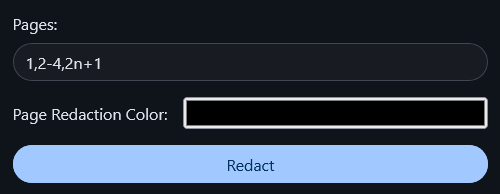 - **Color Customizations:** - You can change the redaction color for new redactions by clicking on this icon in the toolbar . - You can change the redaction color for existing redactions by hovering over the redaction box then clicking on it (`Left mouse click LMB`) then clicking on color palette (highlighted in red in the picture)  then select your preferred color. - **Deletions:** - You can delete a redacted area by hovering over the redaction box then clicking on it (`Left mouse click LMB`) then clicking on the trash icon (highlighted in red in the picture) . ## Card in the home page:  Closes #465 ## Checklist - [x] I have read the [Contribution Guidelines](https://github.com/Stirling-Tools/Stirling-PDF/blob/main/CONTRIBUTING.md) - [x] I have performed a self-review of my own code - [x] I have attached images of the change if it is UI based - [ ] I have commented my code, particularly in hard-to-understand areas - [ ] If my code has heavily changed functionality I have updated relevant docs on [Stirling-PDFs doc repo](https://github.com/Stirling-Tools/Stirling-Tools.github.io/blob/main/docs/) - [ ] My changes generate no new warnings - [ ] I have read the section [Add New Translation Tags](https://github.com/Stirling-Tools/Stirling-PDF/blob/main/HowToAddNewLanguage.md#add-new-translation-tags) (for new translation tags only) --------- Co-authored-by: Anthony Stirling <[email protected]> |
||
|
|
49fb634690 |
Feature/improved signature element (#2489)
# Description Please provide a summary of the changes, including relevant motivation and context. Closes #(issue_number) ## Checklist - [ ] I have read the [Contribution Guidelines](https://github.com/Stirling-Tools/Stirling-PDF/blob/main/CONTRIBUTING.md) - [ ] I have performed a self-review of my own code - [ ] I have attached images of the change if it is UI based - [ ] I have commented my code, particularly in hard-to-understand areas - [ ] If my code has heavily changed functionality I have updated relevant docs on [Stirling-PDFs doc repo](https://github.com/Stirling-Tools/Stirling-Tools.github.io/blob/main/docs/) - [ ] My changes generate no new warnings - [ ] I have read the section [Add New Translation Tags](https://github.com/Stirling-Tools/Stirling-PDF/blob/main/HowToAddNewLanguage.md#add-new-translation-tags) (for new translation tags only) --------- Co-authored-by: Anthony Stirling <[email protected]> Co-authored-by: Reece Browne <[email protected]> |